

Enable Checkout Validation
Cart Reserve uses Shopify's checkout rules (a built-in Shopify feature) to enforce reserved quantities during checkout.
This step ensures that customers cannot complete checkout with quantities that exceed their active reservation or allowed limits.
Why This Step Is Required
This step prevents customers from buying more items than their reservation allows.
Without it, customers could bypass reservation limits at checkout by editing quantities or using multiple tabs.
How to Enable Checkout Validation
- Open Shopify Admin
- Go to Settings → Checkout
- Navigate to the Checkout Rules section
- Locate cart-checkout-validation
- Click Turn on
- Save your changes
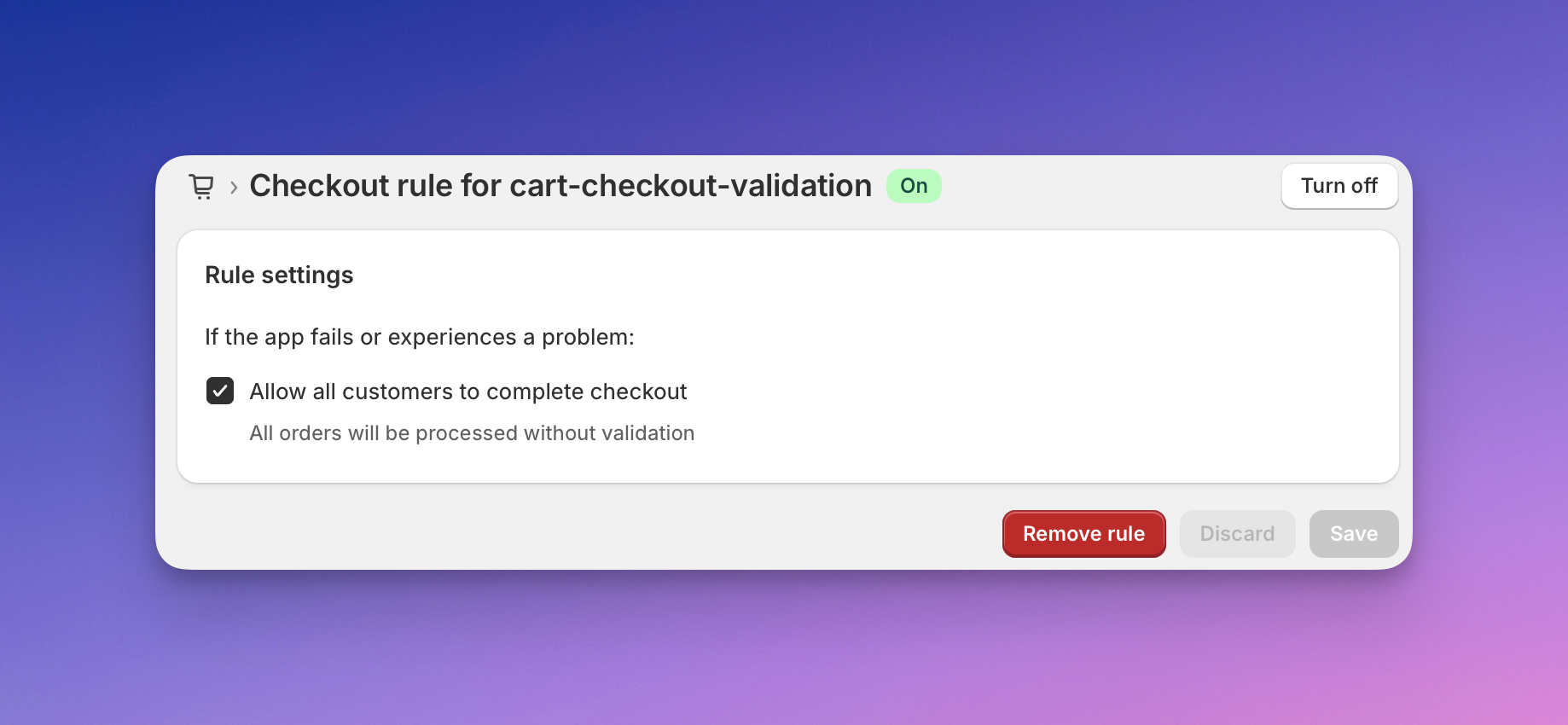
Once enabled, Cart Reserve will automatically validate reserved quantities during checkout.
Verification
Checkout validation is enabled when:
- The cart-checkout-validation rule is active in Shopify settings
- Checkout blocks quantities that exceed active reservations
If checkout validation is not enabled, Cart Reserve will not prevent invalid checkout attempts.
Next Step
Continue with Enable App Embed to connect Cart Reserve to your storefront.