Timer Customization
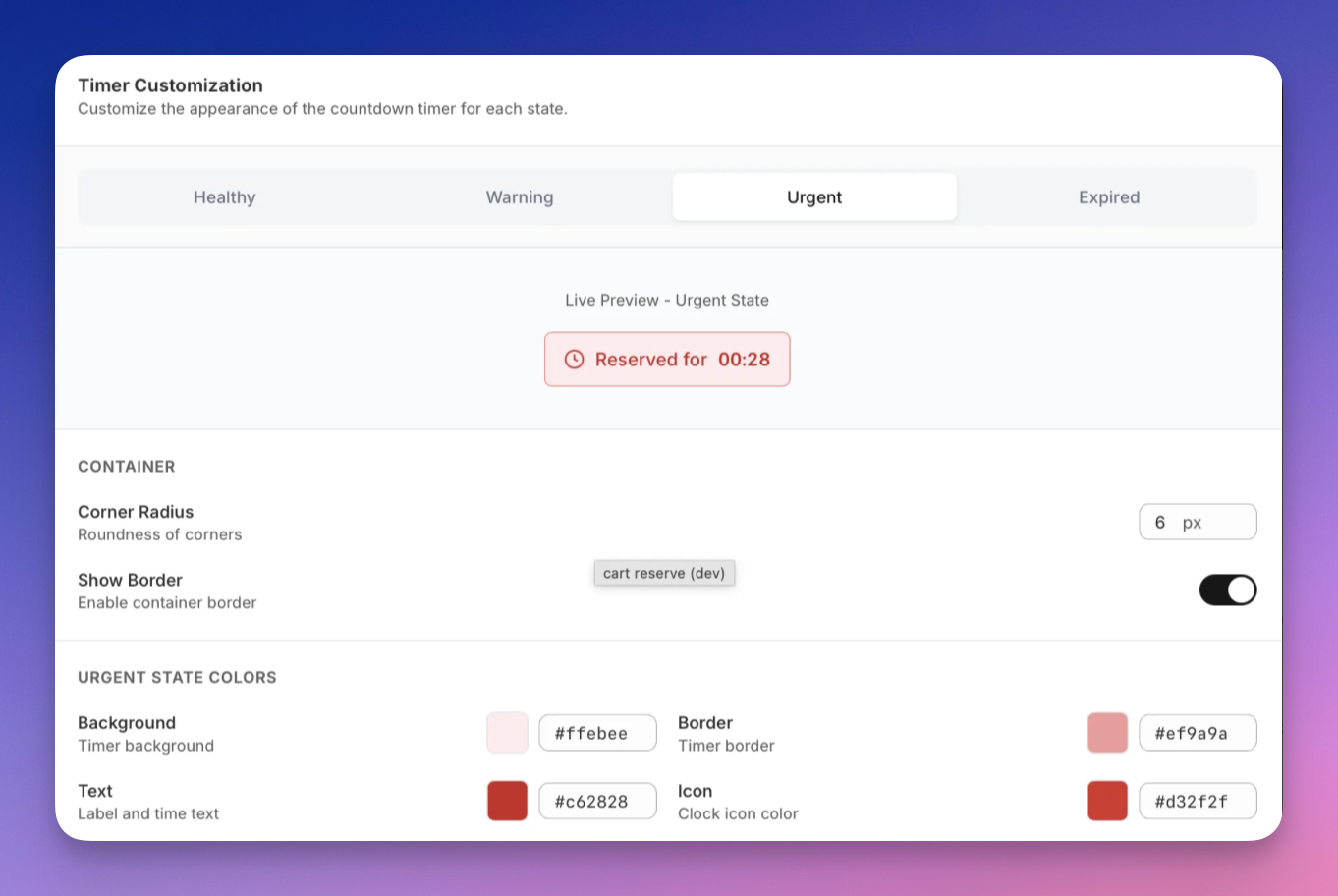
The Timer Customization section allows you to fine-tune the appearance of the countdown timer for different reservation states.
Reservation States
You can switch between the following states using tabs:
- Healthy – Plenty of time remaining
- Warning – Time is running low
- Urgent – Reservation is about to expire
- Expired – Reservation has expired
A live preview updates instantly as you adjust settings.
Container Settings
These settings control the timer container itself:
- Corner Radius Adjusts the roundness of the timer container corners.
- Show Border Enables or disables the container border.
State Colors
For each state, you can customize:
- Background – Timer background color
- Text – Label and countdown text color
- Border – Timer border color
- Icon – Clock icon color
This allows the timer to visually match your store’s branding while keeping urgency clear.