

Product Limits
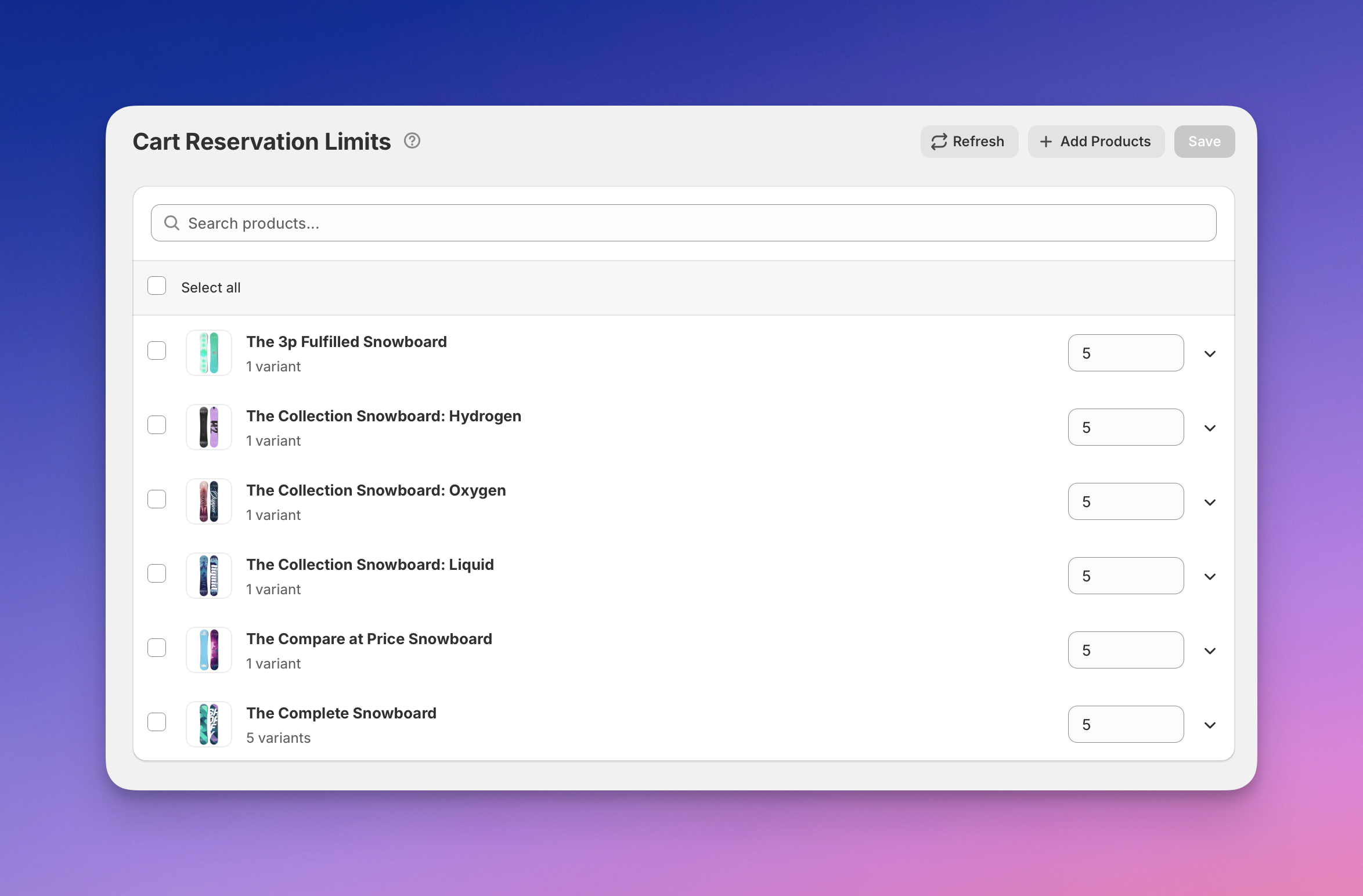
The Product Limits section allows you to configure cart reservation limits for individual products in your store.
These limits control how many units of a product a customer can reserve in their cart at one time and help prevent excessive inventory locking during high-demand scenarios.
Reservation limits are applied per product and automatically affect all of its variants, ensuring consistent behavior across different options such as size or color.
This section focuses on reservation behavior, not Shopify inventory management.
What the Product Limits Section Is For
Use the Product Limits section to:
- Enable or disable reservations for specific products
- Define maximum cart quantities for products
- Apply consistent reservation limits across all variants
- Review product availability in the context of reservations
- Adjust limits based on demand and stock levels
Changes made here affect how Cart Reserve enforces reservations during cart interactions.
Product List and Search
The product list displays all products currently managed by Cart Reserve.
Available Actions
-
Search products Use the search field to quickly find products by name.
-
Select all / product checkbox Select one or multiple products to manage reservation limits in bulk.
-
Refresh Reloads the product list and syncs the latest product data from your store.
-
Add Products Adds new products to the reservation management list.
-
Save Saves all configured reservation limits and enabled/disabled states.
Bulk actions allow you to apply limits efficiently across multiple products.
Product Status
Each product displays its reservation status:
Enabled Badge
Products with the green Enabled badge have active reservations. Customers will see the reservation timer when adding these products to their cart.
Disable Button
Click Disable to turn off reservations for a specific product. When disabled:
- The product is no longer subject to reservation limits
- Customers can add any quantity without triggering a reservation
- The product behaves like a standard Shopify product
To re-enable reservations, click Enable on the product row.
Cart Reservation Limits
For each product, you can define the maximum quantity allowed in the cart.
Quantity Input
The numeric input (default: 5) represents the maximum quantity a customer can reserve for the product.
How Limits Work
- The limit applies to all variants of the product, regardless of individual stock levels
- Limits are enforced during cart updates and reservation creation
- Customers cannot exceed this quantity when the product is reserved
The tooltip icon provides a brief explanation of how cart reservation limits are applied.
Variants Overview
Each product can be expanded using the arrow icon to display its variants.
The variants overview includes:
- Variant name — the specific product variant (e.g., size, color)
- Variants count — total number of variants for the product (e.g., "3 variants", "1 variant")
- Stock — current available inventory for the variant (from Shopify)
This overview helps you set appropriate reservation limits based on real inventory availability, while keeping reservation rules simple and product-based.
Relationship to Other Sections
- Reservation limits are enforced during cart updates and checkout validation
- Session-level reservation behavior can be reviewed in Sessions
- Overall reservation impact can be monitored in the Dashboard
- Global reservation mode is configured in Settings → Reservation Mode